Access Control: Means of Entry

Access control systems play a critical role in modern building security. They ensure that authorized individuals can safely and conveniently access designated areas—while keeping unauthorized people out. A well-designed system also simplifies facility management by eliminating the need to replace lost keys, track down keys from former employees, or guess who currently has access to certain areas.

Regardless of the technology involved, every locking system ultimately relies on a physical object or credential to release the secure lock. The choice of credential depends on your facility’s needs, budget, security requirements, and desired level of monitoring. Common credential types include traditional keys, combinations, cards, and even biometric identifiers like fingerprints.

Below is an overview of the most widely used access control methods and how they compare.

Stand-Alone Locks

As the name suggests, stand-alone locks are self-contained, battery-powered units that function as “all-in-one” access control systems.

Advantages:

  • Quick installation — often fully operational within minutes
  • No wiring or network infrastructure required
  • Ideal for small facilities or isolated doors

Disadvantages:

  • Not connected to a centralized monitoring system
  • Limited scalability for larger buildings
  • Audit trails require a hand-held reader to extract data

Stand-alone locks are a convenient, cost-effective option for simple access control needs or remote locations.

Proximity Readers

Proximity readers are the most commonly used credential readers in commercial access control systems. They rely on cards or fobs that communicate with the reader using wireless technology.

Most proximity systems fall into two main categories:

  • RFID (Radio-Frequency Identification)
  • Bluetooth-enabled readers that allow smartphones to serve as credentials

Benefits include:

  • Low cost per credential
  • Fast, contactless entry
  • Ability to combine access cards with photo ID for added security

Their ease of use and affordability make proximity readers a top choice for offices, schools, healthcare facilities, and large commercial buildings.

Keyswitches
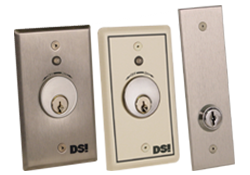
A keyswitch bridges the gap between mechanical and electronic security. It uses a physical key to activate an electronic locking mechanism, providing the familiarity of key operation with the enhanced functionality of electronic auditing.

Key advantages:

  • Integrates into a monitored electronic access system
  • Provides audit trails through the connected network
  • Useful in areas where key-based control is still preferred

Key disadvantages:

  • Physical key retention is required
  • Choosing the correct configuration is important

Keyswitches are often used in transition spaces upgrading from mechanical hardware to full electronic access control.

Keypads
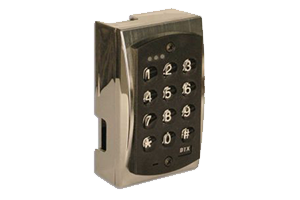
dtx 2100 access control

Keypads are one of the simplest and most recognizable forms of access control. Users enter a numeric code to unlock the door.

Pros:

  • Easy to use
  • Cost-effective
  • Ideal for single-door or low-traffic areas

Cons:

  • Lower security, as codes can be shared, written down, or observed
  • Limited tracking unless each user is assigned a unique code
  • Requires regular code changes to maintain security

Keypads are a practical solution for low-risk spaces but less suitable for high-security environments.

Biometric Systems

Biometric access control provides the highest level of security by verifying physical characteristics unique to each user. Common biometric identifiers include:

  • Fingerprints
  • Hand geometry
  • Retinal or iris scans

Advantages:

  • Extremely difficult to forge or share
  • No need for physical keys or cards
  • Provides precise audit trails

Considerations:

  • Higher upfront cost
  • Requires quality equipment and proper user enrollment
  • May need integration with other systems for multi-factor authentication

Although more expensive, biometrics offer unmatched security and accountability for sensitive facilities.

Choosing the Right Access Control Method

The best access control solution depends on your building’s layout, security needs, user population, and long-term scalability goals. Many facilities use a combination of methods. For example, proximity readers for most employees, biometric systems for high-security areas, and stand-alone locks for remote entries.

Understanding the differences between these technologies will help you design a system that improves security, enhances convenience, and supports the overall management of your building.

Do Turnstiles Really Save Money? Calculating ROI for Your Facility

When considering investments in physical security, turnstiles often come up as a reliable option. But many facility managers and decision-makers hesitate at the upfront cost and wonder: Do turnstiles really save money in the long run? The answer is yes … that is, when you evaluate the full picture of cost, efficiency, and security, turnstiles can deliver a significant return on investment (ROI).

The Upfront Investment

Turnstiles require an initial investment that includes equipment, installation, and integration with access control systems. Costs vary depending on the type of turnstile -tripod, optical, mechanical or full-height models – but are typically viewed as a capital expense. While this cost can seem high compared to hiring a security guard, the real ROI becomes clear when you factor in ongoing labor savings and long-term durability.

Reducing Labor Costs

Security guards are effective, but they come with recurring expenses – wages, benefits, training, and turnover costs. A single guard can cost a facility anywhere from $40,000–$60,000 annually. Turnstiles, on the other hand, require minimal upkeep once installed. Even factoring in maintenance, a turnstile can often replace or supplement guard positions at entry points, providing continuous security without the recurring payroll burden.

Enhancing Security Accuracy

Turnstiles reduce the risk of human error. Guards may get distracted or fatigued, while turnstiles enforce access rules consistently. With proper integration into an access control system, turnstiles ensure only authorized personnel gain entry, minimizing costly breaches, tailgating, or unauthorized access. This reliability reduces potential liabilities, theft, and other financial risks.

Operational Efficiency and Productivity

Turnstiles speed up entry for authorized users while maintaining security. This efficiency not only reduces bottlenecks during peak hours but also keeps employees productive, saving organizations hidden costs tied to wasted time and frustration. Facilities with heavy foot traffic – such as corporate offices, stadiums, or transportation hubs – see the greatest ROI from these improvements.

Long-Term Durability

Unlike labor costs, which compound year after year, turnstiles are built for longevity. Quality turnstiles can last over a decade with proper maintenance. This durability spreads out the initial cost over many years, creating a much lower cost-per-use compared to ongoing guard salaries.

The ROI Calculation

When calculating ROI, consider both direct and indirect savings:

  • Direct savings: Reduced security guard staffing, lower payroll, fewer benefits expenses.
  • Indirect savings: Reduced theft or liability risks, improved employee productivity, reduced turnover of frustrated staff.

For many facilities, the breakeven point comes in just 1–3 years after installation. Beyond that, the turnstiles continue to deliver value year after year.

Conclusion

Turnstiles aren’t just about restricting access. They’re an investment in sustainable, cost-effective security. By reducing reliance on human staff, ensuring consistent enforcement, and lasting for years, turnstiles provide measurable ROI for facilities of all sizes.

If your facility is considering a shift in security strategy, analyzing the long-term savings from turnstiles could show you that they not only pay for themselves but also keep your facility more secure and efficient.

Understanding Fire-Rated Hardware

When it comes to building safety, fire-rated hardware is one of the most important elements in protecting lives and property. From hospitals to schools to retail spaces, properly specified fire-rated hardware ensures that fire doors perform as intended—slowing the spread of smoke and flames, buying precious time for occupants to evacuate, and supporting first responders in their work.

In this guide, we’ll break down what fire-rated hardware is, why it matters, and how to ensure your facility stays compliant.

What Is Fire-Rated Hardware?

Fire-rated hardware refers to door components—such as exit devices, locks, hinges, and closers—that have been tested and certified to withstand fire for a specified period of time, typically 20, 45, 60, 90, or 180 minutes. When installed on a fire-rated door, these products help the assembly resist fire and smoke spread.

It’s important to note that the entire assembly (the door, frame, and hardware) must be rated as a unit. Even one non-rated component can compromise the door’s effectiveness.

Key Types of Fire-Rated Hardware

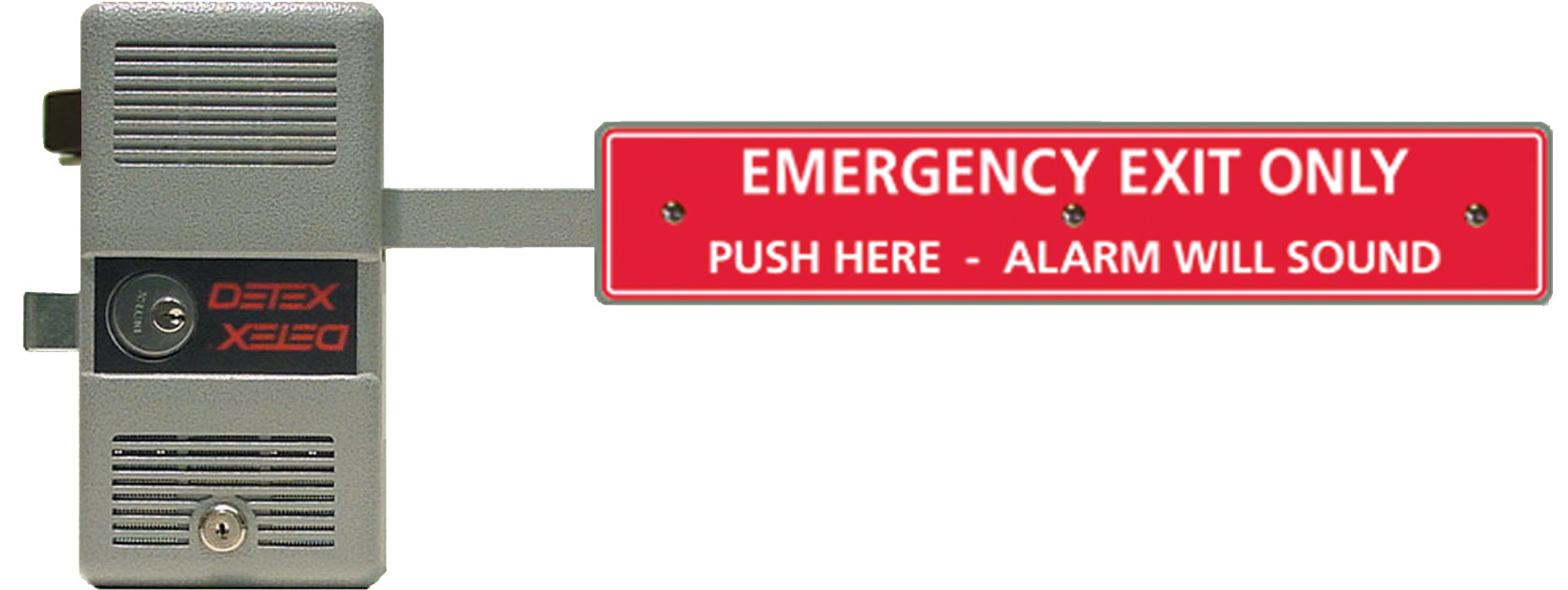
fire rated exit control lock

Exit Devices (Panic & Fire Exit Hardware): Designed to allow quick egress while keeping doors closed against fire pressure. Fire-rated devices do not include mechanical hold-open features.

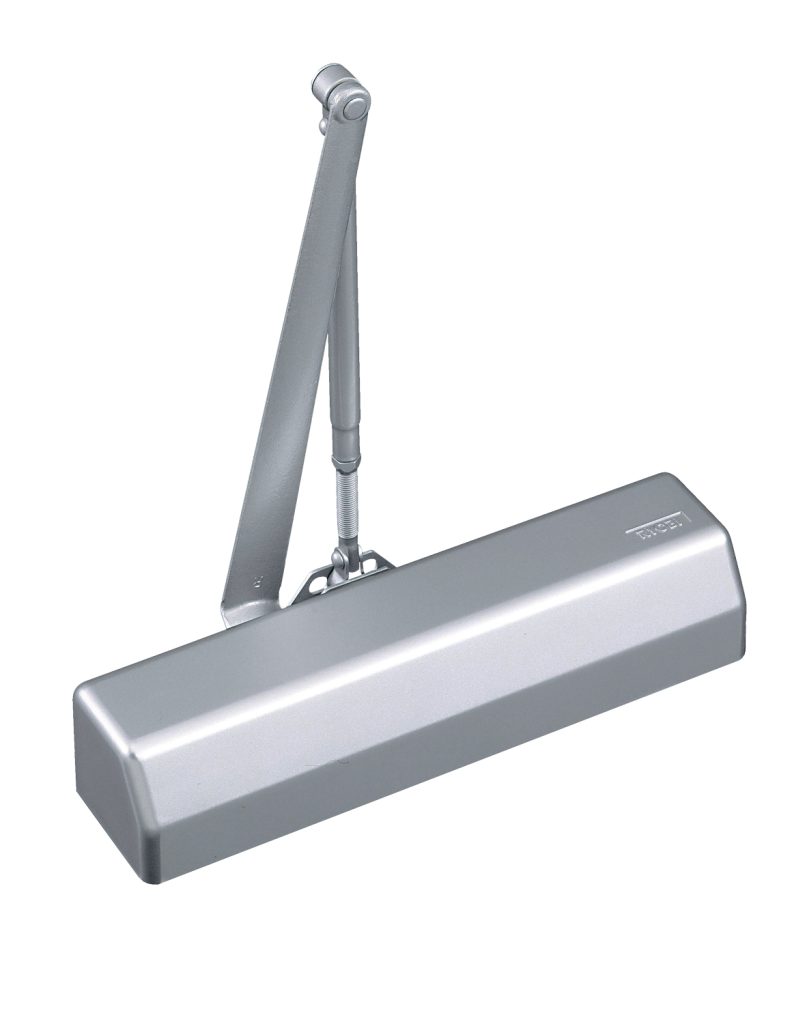
Door Closers: Ensure that fire-rated doors automatically close and latch, preventing flames and smoke from spreading.

Locks & Latches: Certified fire-rated locks must hold the door secure during fire conditions, even under extreme heat.

Hinges & Pivots: Heavy-duty, tested to withstand warping or failure in high temperatures.

Seals & Gasketing: Provide critical smoke and draft control, particularly at the edges of doors.

Why Fire Ratings Matter

Fire-rated doors and hardware are not just code requirements—they are life safety systems. Fires can double in size every minute, and uncontrolled smoke is the leading cause of fire-related deaths. Properly rated hardware helps compartmentalize buildings, slowing the spread of fire and giving occupants time to exit safely.

Non-rated or improperly installed hardware can void the fire rating of the entire door assembly, leading to liability, code violations, and increased danger during emergencies.

Common Misconceptions About Fire-Rated Hardware

  • Myth: Any exit device can go on a fire door.
    Reality: Fire doors require fire-rated exit hardware that does not rely on hold-open features.
  • Myth: If the door is rated, the hardware doesn’t matter.
    Reality: The door, frame, and hardware must all be rated together as an assembly.
  • Myth: Fire-rated hardware is only needed in high-rise buildings.
    Reality: Fire protection codes apply to a wide range of occupancies including schools, healthcare, retail, and industrial facilities.

Compliance and Testing

Fire-rated hardware is tested under standards such as UL 10C (Positive Pressure Fire Tests of Door Assemblies) and NFPA 252 (Fire Tests of Door Assemblies). Products must bear proper labeling (UL, WH, FM, or other certification marks) to be considered compliant.

Building owners and facility managers should ensure routine inspections of fire doors and hardware, as required by NFPA 80, to maintain compliance.

Choosing the Right Fire-Rated Hardware

When specifying or upgrading fire-rated doors, consider:

  • Door location and rating requirements (20–180 minutes)
  • Occupant needs (panic vs. fire exit hardware)
  • Accessibility requirements (ADA compliance)
  • Environmental conditions (weather exposure, corrosive cleaning agents, etc.)

Working with a trusted manufacturer ensures that your fire-rated hardware not only meets code but also provides long-term durability and reliability.

Final Thoughts

Fire-rated hardware is a silent guardian of life safety, designed to perform in the worst possible conditions. Whether you’re outfitting a new building or retrofitting existing doors, choosing certified fire-rated hardware is an investment in safety, compliance, and peace of mind.

Understanding Keyways: The Hidden Profile That Controls Your Door Security

If you’ve ever held two keys that look nearly identical but still don’t work interchangeably, you’ve encountered the concept of the keyway. In door hardware, the keyway is far more than just the visible slot in a lock — it is a precisely engineered internal profile that controls which keys can access a cylinder, how systems are organized, and even how secure a facility remains over time.

What Is a Keyway?

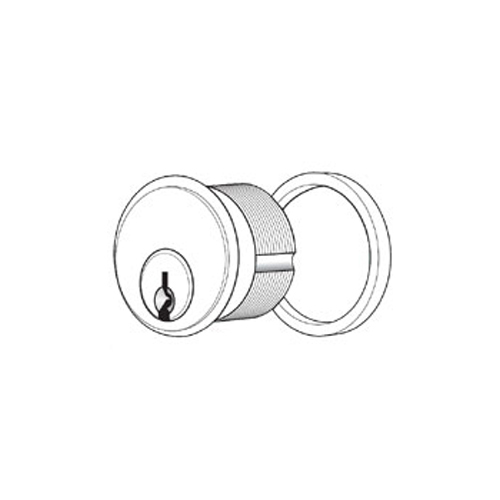
A keyway refers to the exact internal shape of the keyhole inside a lock cylinder. Think of it as the fingerprint of the locking mechanism: highly specific, intentionally designed, and impossible for an incorrect key to bypass.

Though all keys share common elements like cuts and grooves, the keyway is what governs which key blanks can physically enter the cylinder. It acts as the first level of security and control before pins, tumblers, or electronic systems ever engage.

A Keyway Is Not the Same as Key Bitting

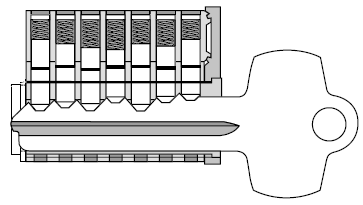
Two keys may share the same bitting (the cut depths along the blade), but if their keyway shapes differ — meaning their grooves and side milling don’t match — they won’t even enter the cylinder. The keyway acts as a mechanical gatekeeper, preventing incompatible keys from engaging the lock.

How Keyways Are Identified

When a cylinder is marked with a keyway code, that designation refers to its exact internal profile. The code tells locksmiths, security professionals, and manufacturers which key blank is required—and which ones are not permitted.

Keyway codes matter because:

  • A key cut for a 12345 keyway won’t fit into a 15999, 11411, or any other differently profiled cylinder.
  • Even small variations in milling or side grooves make insertion physically impossible.
  • Key replacement, system expansion, or rekeying must always refer back to the original keyway design.

If the profile doesn’t match, the key stays out.

Why Keyway Design Matters

Keyways are not random; they are strategic. Manufacturers develop keyway shapes to balance security, access control, and system organization.

1. Key Control and System Management

Unique or restricted keyways help maintain system integrity. Institutions like hospitals, universities, and corporate campuses often choose proprietary or restricted keyways to ensure that:

  • Keys cannot be duplicated without authorization
  • System expansion remains manageable
  • Access groups stay clearly segmented (i.e., admin areas vs. public corridors)

Restricted keyways prevent unauthorized duplication and allow facility teams to maintain documented issuance and return procedures.

2. Compatibility Assurance

A matching keyway code ensures that cylinders, keys, and interchangeable cores work within the same ecosystem. When ordering replacement keys, additional cylinders, master key expansions, or interchangeable or small format cores, the keyway designation must match. Ignoring it can result in mismatched parts, costly delays, and unusable keys.

The Keyway as the Mechanical Interface

It’s helpful to think of the keyway as the physical handshake between the key and the cylinder. Without a match:

  • The key cannot enter
  • The pins cannot align
  • The lock cannot rotate
  • Access cannot be granted

This makes the keyway the first and most fundamental layer of door security.

Even in advanced systems that involve electronics, access control readers, or electrified trim, the mechanical keyway still remains crucial as a fail-safe and override access point.

Maintaining Keyway Integrity

When modifying, expanding, or troubleshooting your door hardware system, always refer back to the original keyway profile. This ensures:

  • Scalability of your keying system
  • Reduced duplication risk
  • Consistency across cores and cylinders
  • Long-term security and organizational clarity

The wrong keyway choice can disrupt an entire master key hierarchy or force expensive rework.

Conclusion

Though small and often overlooked, the keyway plays a critical role in how mechanical security systems function. It identifies which key blank can enter a cylinder, helps manufacturers control duplication, and keeps master keying structures organized and secure.

In short, the keyway is not just a slot — it is the customized internal roadmap that allows only the correct key to engage with the lock.

When ordering replacements, scheduling rekeys, or planning system expansions, always verify your keyway code. Doing so ensures that every locking component continues to operate within the parameters of your original security design.